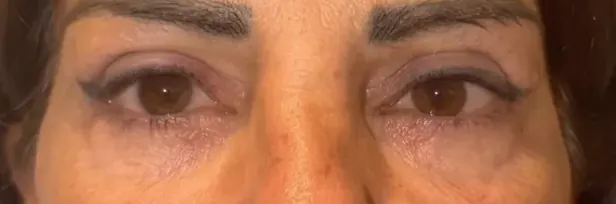
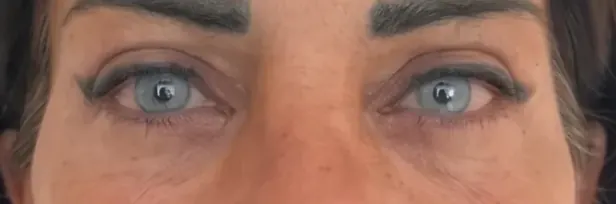
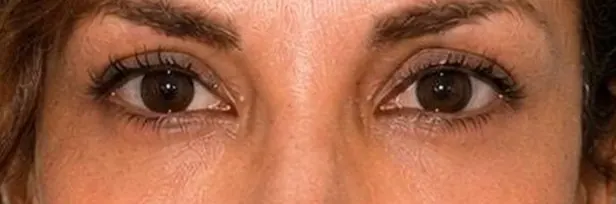
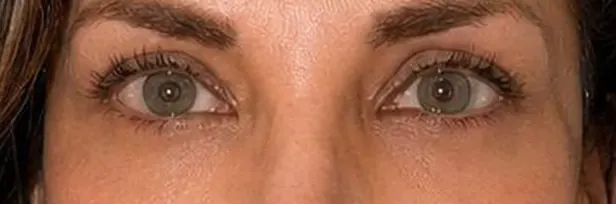
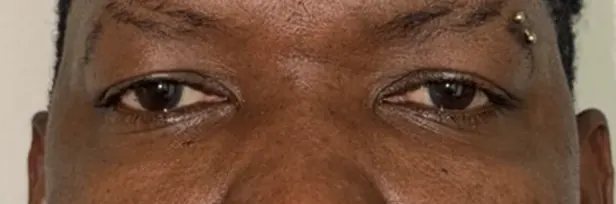
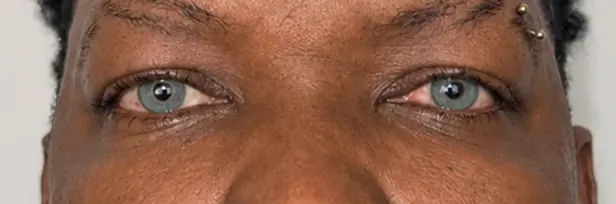
Before / After Gallery
Discover a preview of our real results.
The shades of the FLAAK palette, each with its name. Before you decide, try the one you like on your own face.
Select a shade to try it on your own face in the simulator, with your camera or a photo.
Or try it with your camera or a photo
Do you wear colored contact lenses? Read: Colored contact lenses or keratopigmentation: which to choose?
Try several FLAAK shades on your own face, with your camera or a simple photo. The shade is chosen with Dr Gozlan at the pre-operative consultation.
Tips: daylight, face the camera, about 40 cm away. No sign-up: the simulation runs in your browser.
Indicative simulation: the actual result depends in particular on your original colour. The shade is chosen with Dr Gozlan during the pre-operative consultation.
Attach the downloaded photo in WhatsApp.
Camera not starting, or a question? See the answers ↓
Discover a preview of our real results.
Yes. It is free, with no sign-up and no form to fill in. It runs in the browser of any phone or computer, with the camera or from a simple photo, with nothing to install. The camera image or photo is processed on your own device and is not sent to our servers.
Indicative simulation: the actual result depends in particular on your original colour. The shade is chosen with Dr Gozlan during the pre-operative consultation. To see real outcomes, look at the before/after photos on the Results page. See the results →
Several FLAAK shades shown at the top of this page, from Ocean to Snow White. The “Intensity” slider lets you compare a lighter or a stronger version of the same shade. The shade is chosen with Dr Gozlan at the pre-operative consultation. The price is the same for every shade: €5,500 for both eyes. See the cost →
Pick a shade, tap “Download photo”, then “Send my simulation to the Dr on WhatsApp” and attach the photo in the chat. The shade name is already written in the message.
Allow camera access when your browser asks (or in the site settings), close any other app using the camera and try again, or switch browser. For a more accurate preview: daylight, face the camera, about 40 cm away. Without a camera, tap “Or try with a photo” and pick a front-facing photo: it stays on your device.
No, it simply helps you spot the shades you like. The final shade is chosen with Dr Gozlan during the pre-operative consultation, and on the day of the procedure he goes through the simulator with you again to compare shades.